OGC API — Features
OGC API - Features is a standardised API that lets you load ODP tabular datasets live into GIS tools without exporting files first. It is the successor to WFS, and most modern GIS clients support it natively.
OGC Features vs. WFS
OGC API — Features is the new version of the Web Feature Service (WFS). It supports similar functionalities but implements a modern RESTful design.
Base URL
https://api.hubocean.earth/api/features
Prerequisites
- An ODP account (register here)
- An API key from your Account page
- QGIS or ArcGIS Pro installed
QGIS setup
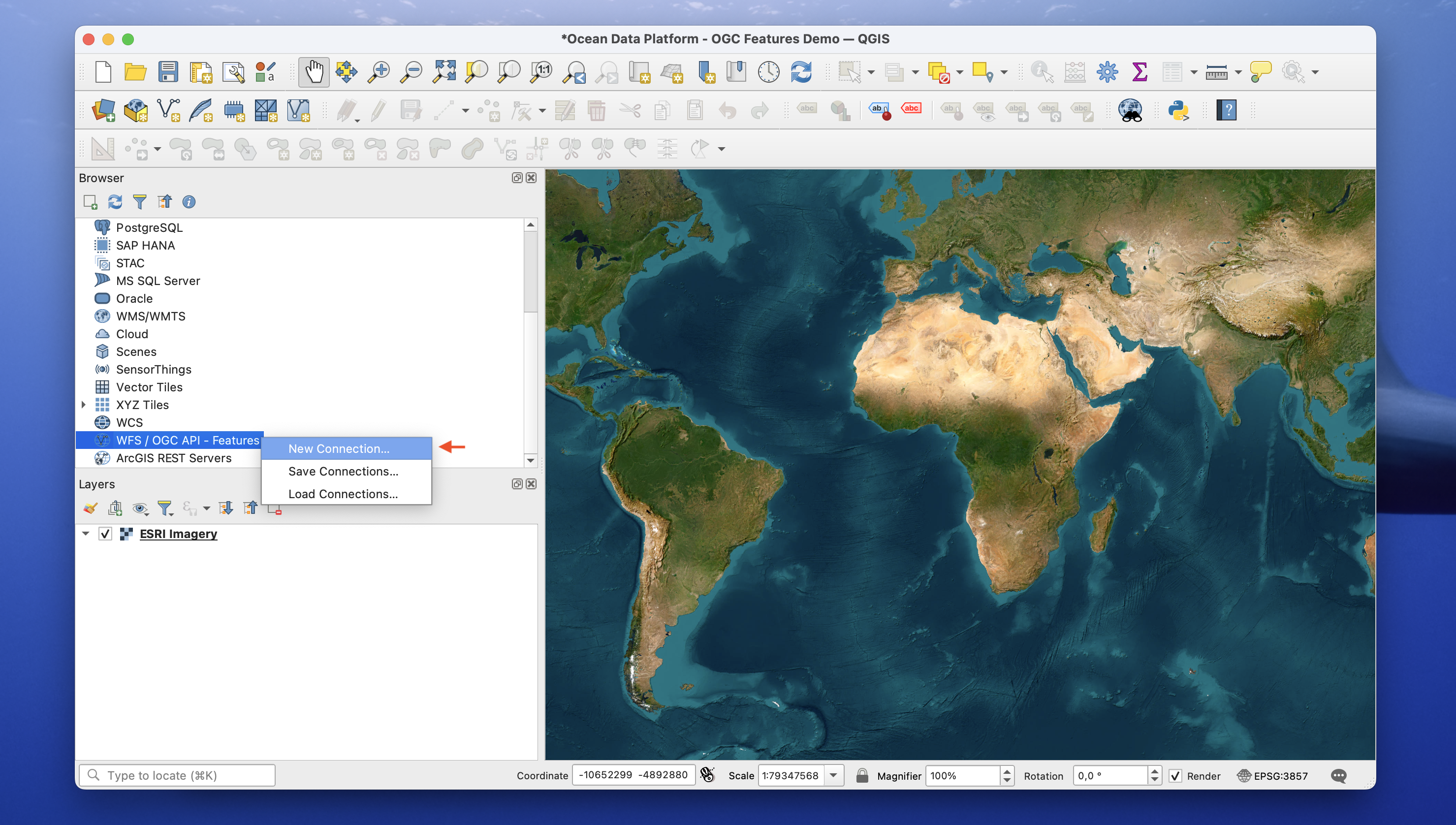
1. Open the WFS / OGC API — Features panel
Browser Panel → WFS / OGC API — Features → New Connection.
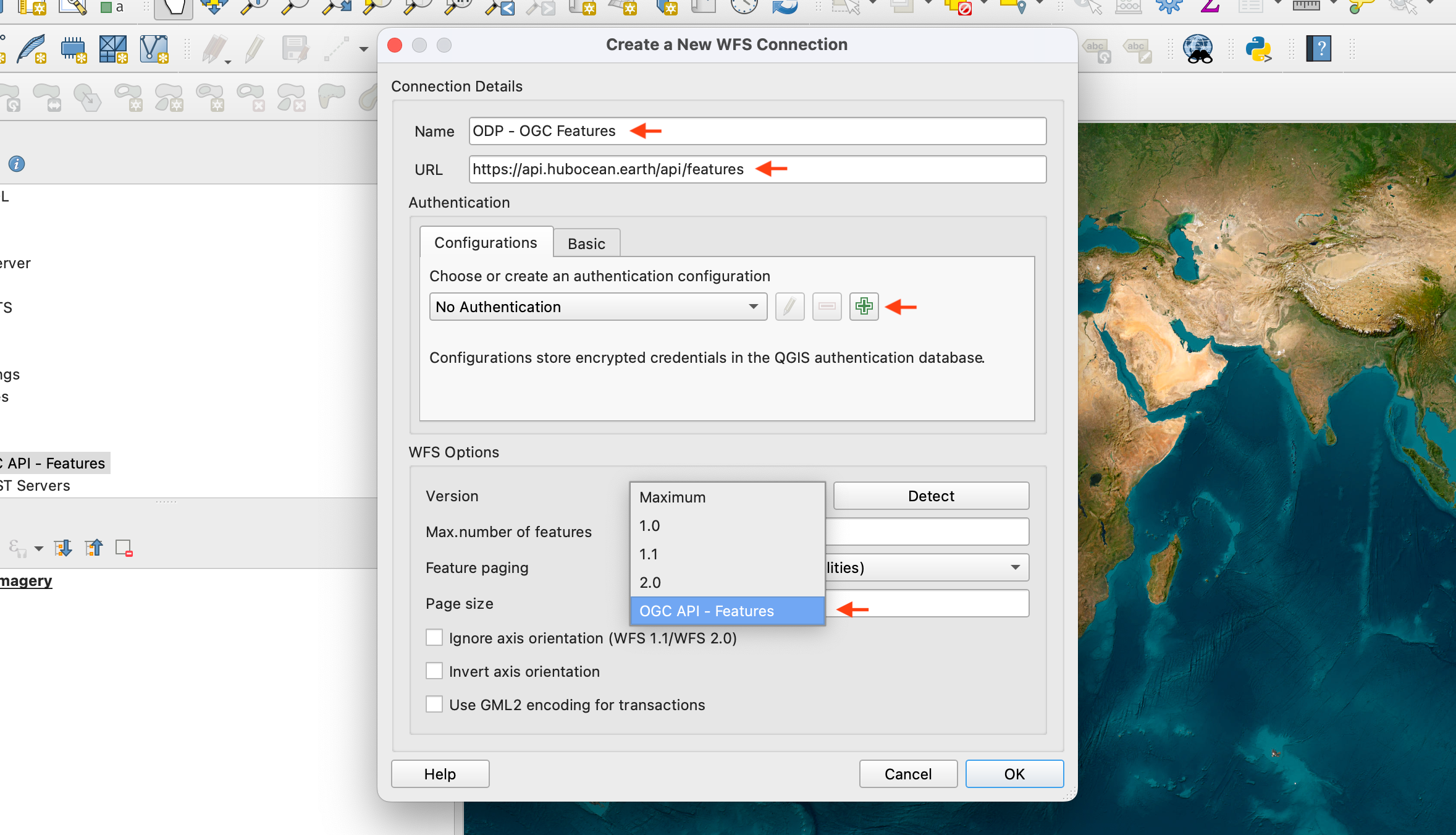
2. Configure the connection
Name it, set the URL to https://api.hubocean.earth/api/features, and select Version: OGC API — Features.
3. Add your API key as a header
Add header → key Authorization, value ApiKey YOUR_KEY → Save.
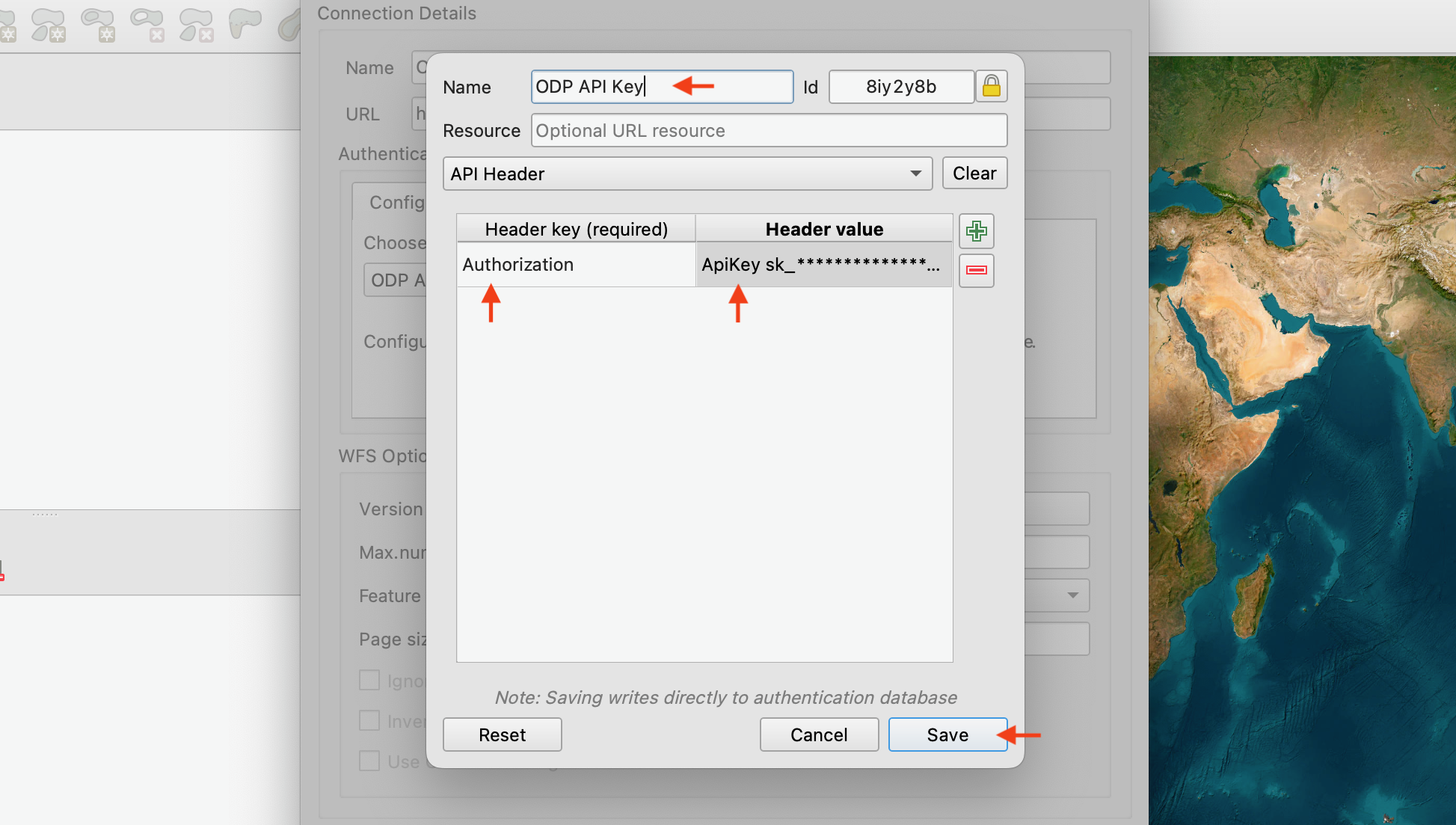
Include the ApiKey prefix
The header value must be ApiKey YOUR_KEY, not just the key itself.
4. Verify and set a feature limit
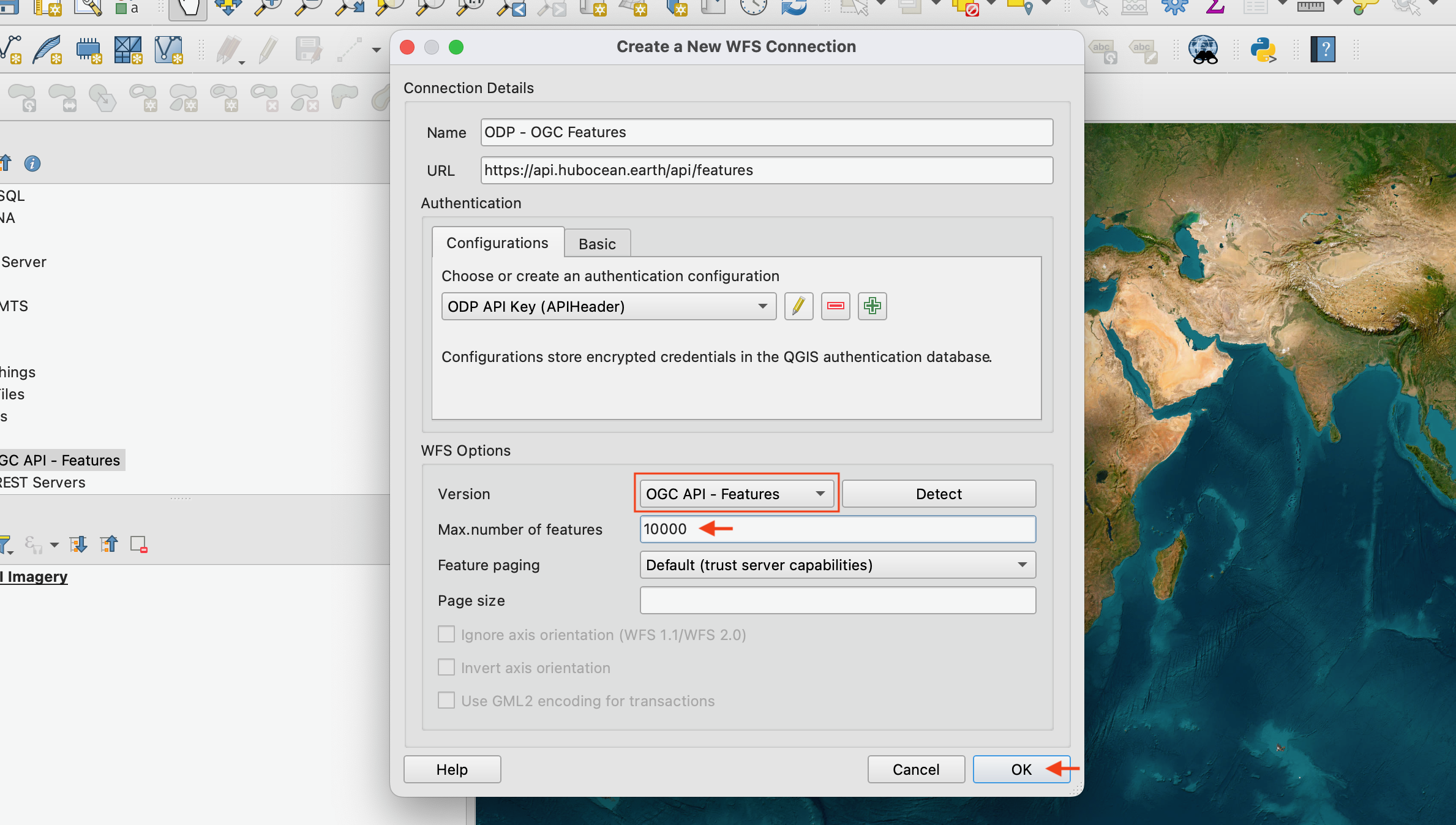
Feature limit
Default is 25,000. Adjust as needed for large datasets.
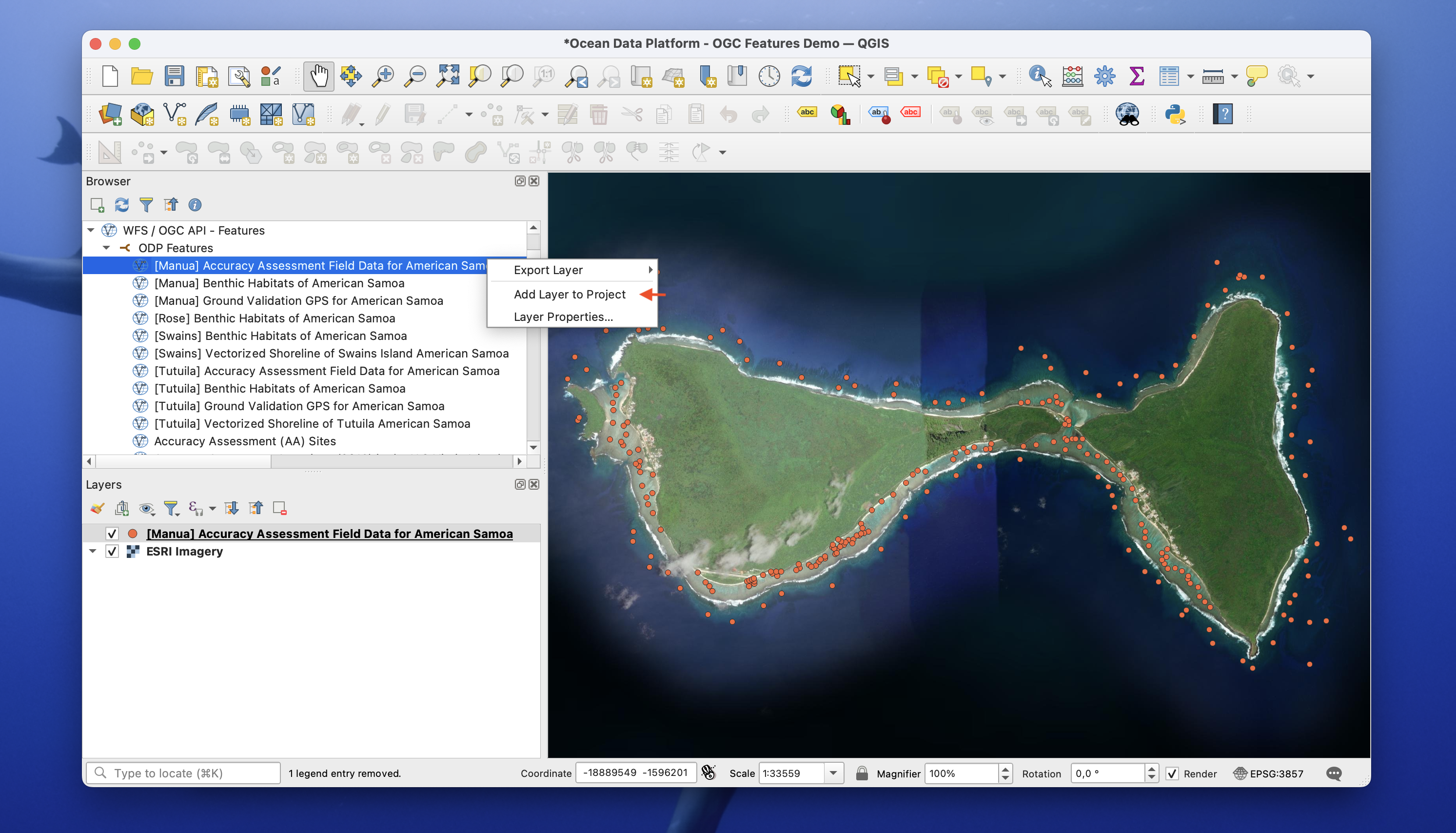
5. Done — drag datasets into your project
ArcGIS Pro
Coming soon.
More information
- OGC API — Features specification
- ODP catalog
- Vector Tiles — alternative for large geospatial visualisation